
Verify Ingestion: Bank Reconciliation Automation for Finance Teams

Bank reconciliation automation matches bank and processor transactions to your ledger automatically and flags only the exceptions that need a human. The payoff is continuous cash visibility instead of a scramble at month end, and a materially faster close once matching rules and thresholds are tuned.
TL;DR:
- High-quality parser support for formats like OFX, MT940, and CSV is essential for reliable automation and must include fallback options for PDFs.
- Running Golden Rule verification on each currency group helps detect errors that would be hidden in blended, multi-currency accounts.
- Continuously trained matching engines with one-to-many and many-to-many capabilities significantly improve matching accuracy for batched or split transactions.
- A thorough validation process includes field-level accuracy tests, false positive/negative analysis, and an audit trail linking matches to source documents.
- Successful rollout begins with high-volume accounts, using historical data to calibrate thresholds, and involves strict role-based controls and ongoing performance monitoring.
Table of Contents
- What automated bank reconciliation is and who benefits
- What features actually drive automation performance
- How does bank reconciliation automation actually work?
- How do you roll out reconciliation automation without breaking anything?
- How accurate is bank reconciliation automation, really?
- What role does AI actually play, and where does it fall short?
- Where do reconciliation automation projects usually go wrong?
- What KPIs prove reconciliation automation is working?
- How should you evaluate reconciliation tools without getting sold a story?
- How AddBack applies automated statement analysis in due diligence
- What security and compliance controls does automation require?
- How does reconciliation automation connect to your broader ERP setup?
- What's next for automated bank reconciliation?
- What finance teams miss when they automate reconciliation
- Sources
What automated bank reconciliation is and who benefits
Automated bank reconciliation matches transactions from banks, payment processors, and merchant acquirers against entries in your general ledger, then surfaces only the ones that don't line up. Instead of an accountant manually eyeballing two spreadsheets line by line, software compares dates, amounts, and descriptions at scale and routes discrepancies into a queue for review. The comparison logic is the same whether the source is a checking account, a Stripe payout, a card processor settlement batch, or a wire transfer feed.
It applies broadly. Treasury teams use it across multiple bank accounts and currencies. E-commerce finance teams use it to reconcile Shopify or Adyen payouts against orders. Accounts payable teams use it to match vendor payments to invoices. Any workflow that involves comparing one transaction record against another benefits from the same core mechanics.
The benefits compound rather than stack in isolation. Automation simplifies comparing transaction data from banks, payment gateways, and internal ledgers to identify discrepancies faster, which shortens the close cycle. It also produces a running audit trail, since every match and every exception gets logged with a timestamp and a resolution path. That matters more than most teams expect the first time an auditor asks for evidence behind a reconciled balance rather than just the balance itself.
The real shift is psychological as much as operational. Finance staff stop doing detective work on stale data and start reviewing a shorter list of genuine anomalies, which is a fundamentally different job.

What features actually drive automation performance
Not all reconciliation tools are built the same, and the gap between a mediocre auto-match rate and a strong one usually comes down to a handful of specific capabilities.
- Bank feeds and multi-bank integration. Direct feeds or APIs that pull transactions daily (or in real time) beat manual CSV uploads for both timeliness and error reduction, especially across multiple institutions.
- Statement format support. A serious tool needs to parse structured formats like OFX, MT940, CAMT, and CSV, plus a fallback pipeline for PDF statements that never come in a clean structured format.
- Matching engines with real flexibility. One-to-one matching only gets you partway there. Practitioner guidance is consistent that automation needs engines capable of one-to-many and many-to-many matching to handle batched payouts, split invoices, and combined wire transfers.
- Exception management with evidence linking. Every unmatched item should open into a case that links back to the source transaction, not just a flag in a spreadsheet.
- GL mapping and approval-first posting. Drafts get generated automatically, but a human signs off before anything hits the ledger.
- Audit trail and reporting. Every match, override, and approval needs a timestamp and a reviewer name attached for compliance purposes.
The parser quality point deserves emphasis because it's where most tools quietly fail. A system that handles clean bank feeds well but chokes on a scanned PDF statement from a smaller regional bank will leave your team back where it started, manually keying data for the accounts that matter most for audit scrutiny.
How does bank reconciliation automation actually work?
The process runs in five stages, and understanding each one helps you troubleshoot when match rates disappoint.
- Ingestion. Data arrives through bank feeds, APIs, or file uploads. Structured formats like OFX, MT940, and CAMT parse cleanly. CSVs need mapping to a standard schema. PDFs, still common with smaller banks, need a dedicated parsing layer since they weren't designed to be machine-readable.
- Normalization. Raw transaction data gets deduplicated, hashed for idempotent re-ingestion, and grouped by currency. This is also where Golden Rule verification happens: opening balance plus total credits minus total debits should equal the closing balance stated on the source document. If it doesn't, something broke during extraction, and you catch it here instead of three steps downstream.
- Matching. The engine runs rule-based matching first (exact amount and date), then fuzzy matching for near-misses (a payment posted a day late, a description with extra characters), then many-to-many logic for batched or split transactions. Each match gets a confidence score.
- Exception handling. Anything below the confidence threshold becomes a case. A staff member investigates, resolves it, and the resolution pattern feeds back into the rule set. This is how mature systems improve over time. Every resolved exception is a candidate for a new matching rule.
- Posting. Matched items generate draft journal entries. Nothing posts to the ledger without an approval step, which keeps a human accountable for what actually lands in the books.
The loop between exception handling and rule mining is the part most vendors underplay. A system that never learns from resolved cases will keep generating the same exception types every month, and your investigation time never drops.
How do you roll out reconciliation automation without breaking anything?
Start narrow. Trying to automate every account and every processor in week one is how pilots stall.
- Pick your highest-volume accounts first. Target the bank accounts and processors generating the most transactions and the most manual reconciliation hours today. That's where automation pays back fastest.
- Collect representative statements and map your ledger taxonomy. Pull three to six months of historical statements across formats you actually receive, including the messy PDF ones, and map them to your chart of accounts before you automate anything live.
- Run a historic pilot. Ingest past statements, tune matching thresholds against known-correct results, and measure your baseline manual match rate against the automated pilot rate on the same data.
- Set up integration essentials. Use read-only bank connections wherever possible, connect your ERP or GL through a proper connector rather than manual export/import, and set role-based access so investigators, approvers, and admins have distinct permissions.
- Operationalize with SLAs. Define how quickly an exception case needs a first response, document every matching rule you create, and schedule a recurring review of match rate trends rather than treating the rollout as a one-time project.
Pro Tip: Run your pilot on a full closed accounting period, not a random 30-day window. Comparing automated results against a period you've already reconciled by hand is the only way to know your baseline match rate before you go live, and it exposes formatting quirks a partial month won't.
Change management matters more than the technology here. Show them the exception queue, not just the summary dashboard, and let them see the system's reasoning before asking them to trust it. For a controller-level view of sequencing this rollout, this implementation guide walks through the practical staging decisions in more depth.
How accurate is bank reconciliation automation, really?
Statistic to know: A headline "match rate" tells you almost nothing on its own. What matters is field-level accuracy on dates, descriptions, and amounts, tested against a known-correct sample, not a vendor's self-reported aggregate.
Vendors love to quote a single match rate percentage. Ignore it until you've seen field-level alignment testing, because a system can hit a high overall match rate while consistently mis-parsing dates on one statement format, and that error compounds across every downstream report.
Four validation practices separate a genuinely accurate system from one that just looks accurate on a demo:
- Golden Rule checks at ingestion. Verify opening balance plus credits minus debits equals closing balance, run separately for each currency group present in a statement.
- Field-level alignment testing. Compare parsed date, description, and amount fields against a ground-truth sample, not just whether a transaction matched something.
- False positive and false negative rate reporting. Ask what percentage of matches were wrong (false positive) and what percentage of true matches got missed (false negative), not just an aggregate accuracy figure.
- Per-transaction confidence scores with audit evidence. Every match should carry a score and a link back to the source document line, so a reviewer can verify a flagged item in seconds.
Deterministic parsers, ones built specifically for a known format like MT940 or CAMT, should always be the first choice when the format is standard. Reserve AI-based extraction for the messy exceptions: scanned PDFs and non-standard layouts where no fixed parser exists. Treating AI extraction as the default for every document type, rather than the fallback for the hard cases, is one of the more common mistakes teams make when evaluating tools.
What role does AI actually play, and where does it fall short?
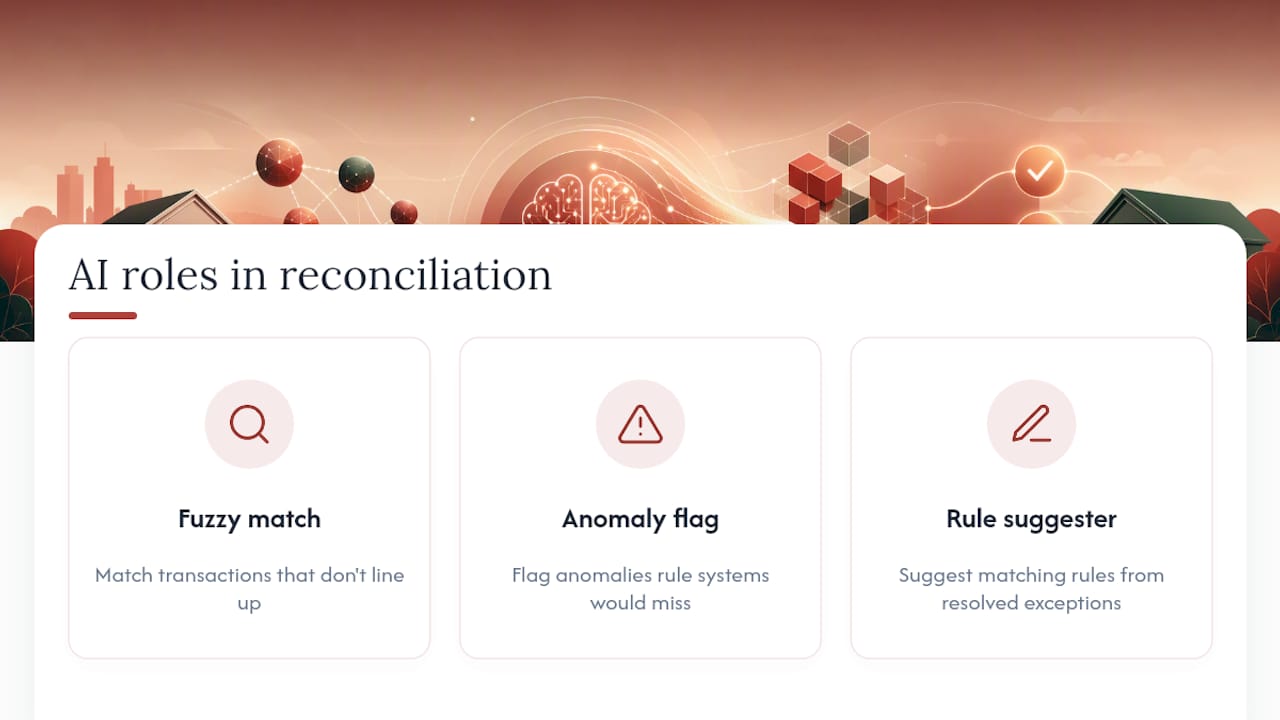
AI earns its place in three specific jobs: fuzzy matching transactions that don't line up exactly, flagging anomalies a rule-based system would miss, and suggesting new matching rules based on patterns in resolved exceptions. It's genuinely good at all three.
Where AI extraction gets riskier is text recognition on scanned or unusual PDF statements. The sound approach is a hybrid extraction pipeline: deterministic parsers handle structured formats first, a text-based LLM handles non-standard PDFs, and vision models step in only for scanned pages that have no machine-readable text layer at all. Running every document through an LLM by default, when a deterministic parser would have worked, adds cost and hallucination risk for no benefit.
The governance layer that makes this safe in practice is approval-first posting: AI prepares draft journal entries and a human reviews and approves before anything hits the general ledger. No autonomous posting, no exceptions.
Pro Tip: If a vendor can't show you the confidence threshold that triggers human review, and can't explain what happens to a match that scores just below it, that's a governance gap, not a minor detail.
Where do reconciliation automation projects usually go wrong?
Most failures trace back to a handful of predictable problems, each with a workable fix.
- Inconsistent statement formatting. Different banks label the same field differently, or abbreviate descriptions inconsistently. Build normalization templates per bank format rather than one universal rule set.
- Multi-currency and Nostro/Vostro accounts. Running Golden Rule verification per currency group, rather than on a blended total, catches errors that a single combined check would hide.
- Split payments, fees, and reversals. A single invoice payment that arrives net of a processing fee needs its own matching rule category, distinct from a straightforward one-to-one match.
- Governance gaps. Without clear segregation between who investigates exceptions, who approves postings, and who can export audit data, you lose the control benefit that automation was supposed to add.
None of these are exotic problems. They're the same issues finance teams have wrestled with for decades, just now showing up inside a new system instead of a spreadsheet.
What KPIs prove reconciliation automation is working?
Benchmark to track: the meaningful comparison isn't automation versus no automation. It's your own baseline match rate and close time, measured before rollout, against the same metrics after your pilot period.
- Auto-match rate. The percentage of transactions matched without human intervention, ideally reported alongside field-level accuracy, not as a standalone headline number.
- Days to reconcile and days to close. Track both, since a high match rate that still requires three days of manual exception cleanup hasn't actually solved the close-speed problem.
- Exceptions per 1,000 transactions. A declining trend here, month over month, is a better health signal than a static match-rate percentage.
- Investigation time and FTE-equivalent savings. How long does the average exception case take to resolve, and how has that changed since rollout.
Structure your pilot to measure these against your own historical baseline, not against a vendor's marketing number. Automated reconciliation reduces manual effort and speeds up close cycles in aggregate across finance teams, but the size of that gain depends entirely on how messy your starting point was.
How should you evaluate reconciliation tools without getting sold a story?
Group solutions into rough categories before comparing anything else: connector-first platforms that specialize in bank feed breadth, parser-first tools built around document extraction accuracy, full platform suites that bundle matching with GL and reporting, and open-source components you'd need to assemble yourself.
Whatever category you're looking at, work through a consistent checklist:
- Format coverage. Does it handle every statement format your banks actually send, including PDFs from smaller regional institutions?
- Audit and evidence links. Can a reviewer click from a matched transaction back to the source document line in seconds?
- ERP and GL connectors. Does it integrate with your existing systems natively, or does it require manual export and import?
- Security and deployment options. Are bank connections read-only, and does the vendor support the deployment model your compliance team requires?
Before signing anything, ask for a sample accuracy report tested at the field level, not just an aggregate match-rate claim, along with evidence of Golden Rule verification on real statement data. Run a test ingest with your own messiest statement, the one from the smallest regional bank you use, and watch what happens.
Red flags worth walking away from: opaque accuracy claims with no field-level breakdown, no approval-first control before ledger posting, and no way to click into a transaction's evidence trail. A guide to data quality validation covers similar field-level checks in more depth if you want a second framework for structuring vendor evaluations.
How AddBack applies automated statement analysis in due diligence
Add-back built its pre-deal intelligence platform around the same core problem: ingesting and normalizing messy bank and ledger data fast enough to act on it. In due diligence, that speed matters because traditional quality-of-earnings review typically takes around six weeks and relies heavily on sampling rather than a full transaction-level review.
Add-back's approach compresses that into roughly 60 minutes by ingesting bank statements, general ledgers, and financial documents directly, normalizing them, and running anomaly detection across the full data set rather than a sample. That distinction, full-population analysis versus sampled QoE methods, is what lets investors and advisors screen a deal for red flags before committing meaningful diligence budget. Readers evaluating how AI fits into financial workflows more broadly can see the underlying approach on AddBack's AI due diligence page.
What security and compliance controls does automation require?
Bank reconciliation automation touches sensitive financial data, so the security bar has to match what you'd expect from any system with read access to your accounts. Bank connections should be read-only wherever the provider offers that option, which eliminates the risk of an automation tool ever initiating a transaction.
Role-based access control matters as much as the connection type. Investigators who resolve exception cases shouldn't automatically have posting authority, and posting approval should sit with a different role than the one that configures matching rules. That segregation is what an auditor will ask about first.
Data handling deserves equal scrutiny. Ask where statement data is stored, how long it's retained, and whether the vendor supports the deployment model (cloud, on-premises, or a hybrid) your compliance policy requires. Encryption in transit and at rest should be table stakes, not a premium feature.
The audit trail itself is a compliance asset, not just an operational convenience. Every match, override, and approval logged with a timestamp and a reviewer identity gives you exportable evidence the moment an auditor or regulator asks how a reconciled balance was actually produced, rather than forcing you to reconstruct the history after the fact.
How does reconciliation automation connect to your broader ERP setup?
GL posting is the most obvious integration point, but it's far from the only one that matters. A reconciliation system that only talks to your general ledger and nothing else creates a new data silo instead of removing one.
Look for connectors into accounts payable and accounts receivable subledgers, since split payments and partial invoice settlements often need context from those systems to match correctly. Treasury management systems matter too, particularly for multi-entity organizations managing intercompany transfers alongside external bank activity.
The practical test is whether the integration is bidirectional or one-way. A one-way feed into your ERP is useful, but a system that can also pull updated vendor or customer records back out, keeping matching rules current as your chart of accounts evolves, saves far more manual maintenance over time. Ask any vendor specifically which ERP platforms they have native connectors for versus which ones require a custom build, since that gap often determines your actual time to value more than any other single factor.
What's next for automated bank reconciliation?
The clearest trend is the shift from batch processing toward continuous, near-real-time reconciliation. Instead of running a reconciliation job overnight or at month end, systems increasingly process transactions as feeds arrive, which turns the close from a discrete event into a rolling, mostly-finished state by the time month end actually arrives.
Anomaly detection is getting more sophisticated too, moving from simple rule violations toward pattern recognition that flags transactions which are individually unremarkable but collectively unusual, like a vendor payment that's technically within tolerance but breaks from a multi-month pattern. That's a genuinely hard problem for rule-based systems and a natural fit for machine learning.
Expect tighter integration between reconciliation platforms and the payment processors themselves, reducing the ingestion lag that currently forces a normalization step at all. As processors standardize richer transaction metadata, some of today's fuzzy matching problems should simply disappear because the data arrives structured. Shifts in B2B payment trends toward more varied processor and payment rail combinations will likely keep reconciliation complexity elevated even as the tooling improves, though, so the format-coverage problem isn't going away soon.
What finance teams miss when they automate reconciliation
Teams get seduced by the headline match-rate number and stop asking questions right there. That's the most common mistake I see in how this technology gets adopted, and it's backwards. The real limiter almost always sits upstream, in ingestion quality, not in the matching logic itself. A system with a mediocre matcher but excellent parsing will outperform a brilliant matcher fed garbage data.
Start small, verify field-level accuracy on your messiest statement format before you trust anything else, and keep a human approval gate on every posting no matter how confident the system claims to be. Iterate your rule set from resolved exceptions rather than expecting a vendor's out-of-the-box configuration to fit your chart of accounts on day one. The teams who get real value from automation treat the rollout as an ongoing tuning process, not a switch you flip once.
— Klara
Sources
- Automated Reconciliation: Benefits & Use Cases
- Bank Statement Parser: Parse 7 Formats in Python, 100% Local